
Live stream
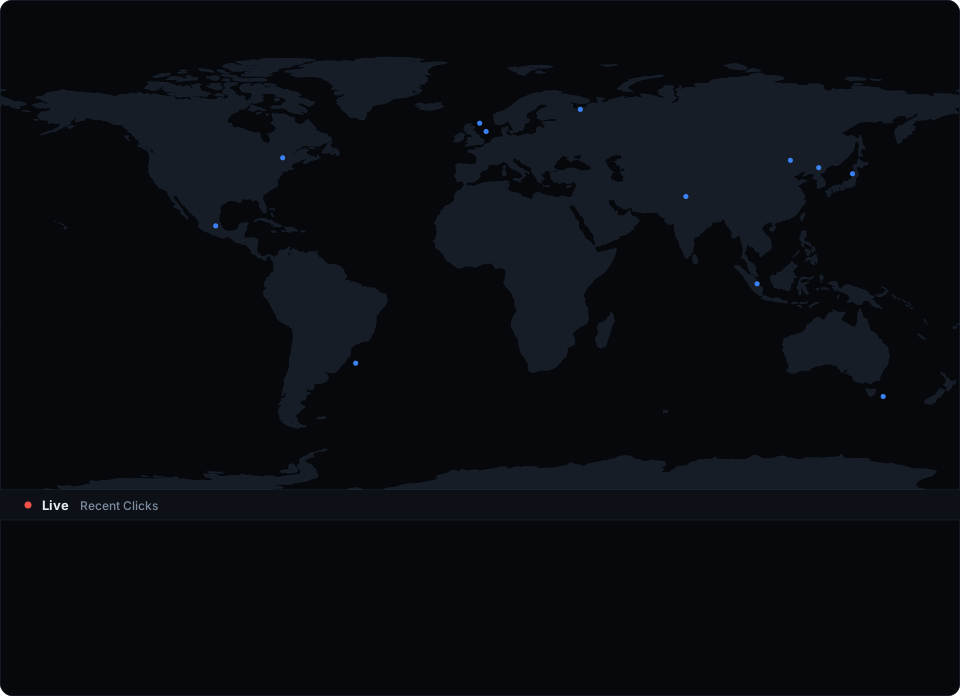
The live stream shows every click as it happens - plotted on a world map with a scrolling feed below. See where your visitors are, which links they’re hitting, and what browsers they’re using, all in real time.
Requires a Team or Agency plan.
How it works
Open the Live tab in your workspace. You’ll see:
- World map - each click appears as a blue dot at the visitor’s location, visible for several seconds before fading
- Click feed - a scrolling list of recent clicks showing the flag, short link, location, browser/OS, and time
Hover over any row in the feed to highlight its dot on the map in red - useful for spotting exactly where a specific click came from.
What you see per click
Each click in the feed shows:
- Country flag and city/country name
- Short link that was clicked (domain + slug)
- Browser and OS of the visitor
- Timestamp
Clicks without location data (rare - some VPNs, Tor) appear in the feed but not on the map.
Pause and resume
Use the Pause button to freeze the feed while you review recent clicks. New clicks are silently dropped while paused. Click Resume to start receiving again.
Connection
The live stream uses a WebSocket connection. If the connection drops (network change, laptop sleep, etc.), it automatically reconnects with exponential backoff. The pulsing red dot next to “Live” indicates the stream is active.
Viewer limits
| Plan | Max concurrent viewers |
|---|---|
| Team | 5 |
| Agency | 20 |
Multiple team members can watch the same live stream simultaneously, up to the plan limit.
Free and Pro plans
On Free and Pro plans, the Live tab shows a demo with sample data so you can preview the feature. Upgrade to Team or Agency to see real clicks.